

Desktop AI tools spread through companies the way spreadsheets did: brilliantly, informally, and with no record of what anyone configured. One engineer has an excellent set of Claude skills; the team next door rebuilt something similar and worse; nobody knows which repositories have instructions, which MCP servers people connected, or what any of it is allowed to reach.
Status: product concept, in active development. This is something we are building, not something you can buy today. We publish our roadmap because the engineering thinking behind it is the useful part — and because we would rather show you the design than imply a finished product.
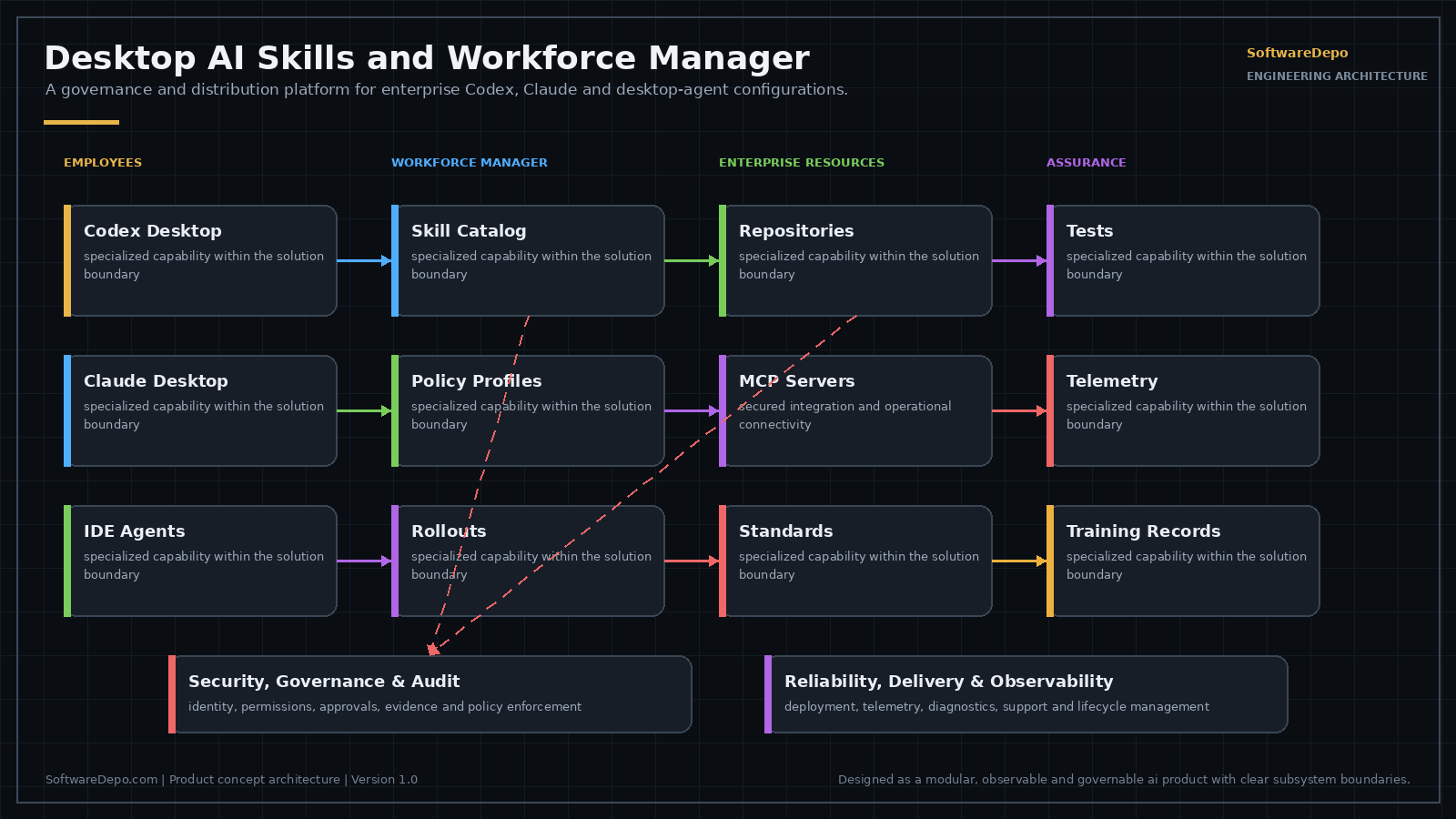
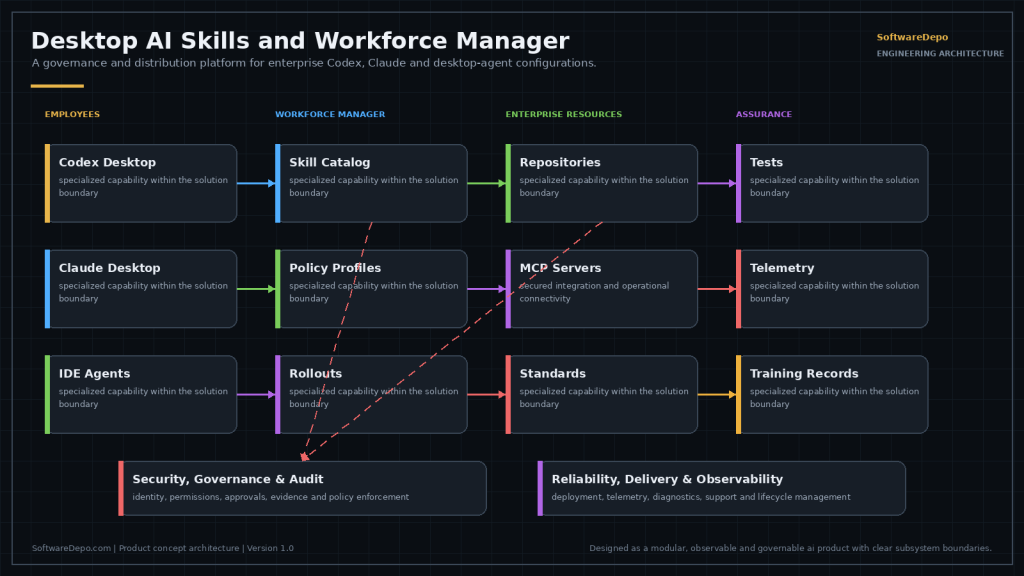
Desktop AI Skills and Workforce Manager is designed to convert those isolated experiments into a repeatable corporate capability — without taking the tools away from the people who are getting value from them.
What It Is Designed To Do
- Approved skill and prompt registry — the good configuration one person wrote becomes the one everyone gets.
- Repository instruction packages — consistent agent instructions across codebases.
- MCP connection catalog — a sanctioned list of what desktop agents may connect to.
- Policy and permission profiles — different roles get different reach, deliberately.
- Versioning and staged rollout — changes go to a pilot group before the whole company.
- Automated skill test suites — a skill that silently degrades after a model update gets caught.
- Usage and performance analytics — which skills are actually used, and which are theatre.
- Employee training and attestation — adoption tracked as capability, not licence count.
The Problem It Actually Solves
Most enterprise AI adoption stalls in exactly this gap: the tools are bought, a few people become genuinely fast with them, and that capability never becomes organisational. Distribution and governance are the missing half. This builds directly on our Claude and Codex and AI skills work.
Tell us if this matches a problem you have — early input shapes what we build first, and we will give you an honest view of where it stands.
Where This Fits, and Where a Simpler Answer Is Better
The gap this is aimed at is specific: several teams are already getting real work out of desktop AI tools, and the configuration that makes them fast is stuck on individual machines. Where that is not yet true, the machinery is premature. Three people who sit together can keep skill files in a shared repository and settle acceptable MCP servers in a conversation, and they will not be slower for it. A management layer is worth building around a practice that already exists; it does not create one.
It also does not fit when desktop tools are not where the leverage is. If the AI work in question runs server side, inside an application or a scheduled job, the governance problem lives in deployment, secrets, and release process, not in what sits on laptops. Companies sometimes describe this as a skills management problem when what they have is a small number of production automations that need ordinary software discipline. That is a different piece of work and a cheaper one.
The signals that point the other way are usually external. Security asks what desktop agents are able to reach and the answer requires asking around. A new hire takes an unreasonable amount of time to reach the speed of the person sitting next to them, because the difference between them is configuration nobody wrote down. A model version changes and there is no list of the configurations that were tuned against the previous one. Those are all the same missing record showing up in different rooms.
How the Managed Objects Are Structured
The design treats four things as versioned objects rather than as files people copy between machines: skill and prompt entries, repository instruction packages, MCP connection catalog entries, and policy and permission profiles. Keeping profiles in the same registry as skills is deliberate. A change to a permission profile moves through a pilot group with the same care as a change to a skill, since widening what an agent may reach can break as much as a bad prompt and is harder to notice afterward.
The manager distributes configuration and records what was distributed. That record is the part that makes everything else possible: rolling a skill back requires knowing which version each machine received, and answering a question about MCP reach means reading catalog state instead of surveying people. Distribution without the record is a file share with extra steps, which is roughly what most companies already have.
Test cases travel inside the skill package rather than sitting in a separate test system. A proposed version runs its own cases before it can be promoted, and a failure holds it where it is. Binding the tests to the package matters because a skill's expected behavior only means something next to the instructions that produced it. Suites kept somewhere else drift away from the skill they describe, and a passing result then proves nothing.
What It Depends On From the Customer
Two things have to exist before any of this earns its keep. There has to be some way to deliver configuration to managed endpoints: an MDM platform, an endpoint management agent, or an install path people actually follow. The manager decides what belongs on a machine, not how the bytes get there. There has to be an identity source, so permission profiles bind to directory groups rather than to a list of names kept by hand, which stops being accurate the first time somebody changes teams. Where neither exists, the honest order of work is endpoint management first.
The third dependency is a person. Someone has to own the registry as an editorial job: choosing which submitted skill becomes the approved one, retiring entries that no longer match how a codebase works, and refusing things. A registry with no editor fills up with near duplicates until people quietly go back to keeping their own copies, which is the condition this is meant to end. The role does not have to be full time, but it does have to be named rather than assumed.
Some questions are the customer's to answer, and the design deliberately does not assume them:
- Which MCP servers are acceptable at all, and on what grounds: reviewed source, an existing vendor relationship, the data the server can reach, or something else entirely.
- Whether repository instruction packages belong to the maintainers of each codebase or to a central group, which settles who may change them and how quickly.
- What an attestation is meant to certify: that a person read something, or that they completed a task with the tool in front of someone.
- Who sees the usage analytics: the registry owner only, managers, or everyone whose work the numbers describe.
What Commonly Goes Wrong
The predictable failure is over-restriction. A profile written to be defensible on paper blocks a step somebody needs, and instead of filing a request they route around it: a personal API key, a hand-edited skill file, a second tool that nobody catalogs. Shadow configuration is worse than permissive configuration, because permissive configuration is at least visible and can be tightened later.
The design's answer is to make the request path cheaper than the workaround, and to keep profiles narrow and composable instead of writing a single company-wide policy. One profile that has to serve everybody ends up either too loose to mean anything or too tight to work in, and in practice it manages to be both, for different people.
The second failure is reading the analytics as a scoreboard. Invocation counts show which skills run, not which ones earn their place: a skill called constantly may be doing something trivial, and one used occasionally by a small group may be carrying the work that actually matters. The moment those numbers are read as a measure of individual output, the record stops being honest, because invoking a skill is easy and looking busy is a rational response. The analytics are designed to answer questions about the catalog, which entries to keep, fix, or retire, not questions about people.
Frequently Asked Questions
What is this, concretely, and what is it not?
It is a management layer over the four object types this page lists: a registry that holds approved versions, an administrative surface for editing and promoting them, and an endpoint-side component that applies whatever a given machine is entitled to. It is not a model, an agent, or a replacement for the desktop AI tools people already use, which keep running the way they do now. It is also not a filter on prompts or a place where anyone reads conversations.
Does it sit between the desktop agent and the model?
No, and that is a deliberate design choice. Anything in the request path becomes a dependency for daily work, so an outage in the manager would stop the tools rather than only stop updates, and it would have to see conversation content to make any decision at that point. Configuration is applied ahead of time and read locally by the tool, so a machine that cannot reach the manager keeps working with whatever it last received. The trade is that a change takes effect when a machine next checks in, not instantly.
How would a rollout actually proceed, in order?
Inventory comes first: find what people have already configured, which is the step companies underestimate, because a registry seeded from scratch has to compete with working setups that already exist. Then a small number of skills already known to work go in as the first approved entries, and permission profiles are bound to directory groups that already exist rather than to new ones invented for this. The MCP catalog starts by describing servers already in use before it starts approving new ones. Attestation and analytics come last, since they only mean something once there is a catalog worth measuring.
How do we know whether our permission profiles are right?
Mostly you do not, not from a diagram. Profiles written from an org chart tend to be wrong in both directions at once: too broad in places nobody thought about, too tight in the places that come up daily. A pilot is what exposes the tight ones, because the requests and the workarounds it produces are the real specification for what reach each role needs. Plan to rewrite profiles after the first pass rather than trying to get them correct before anyone has used them.
How does it integrate with the systems we already run?
The design sits behind existing endpoint management rather than replacing it, so distribution uses whatever MDM or management agent is already deployed, and identity comes from the directory or SSO provider already in place. Repository instruction packages are expected to stay in version control alongside the code they describe, with the registry referencing a commit rather than holding a second copy that can drift out of step. Where a direct integration does not exist, the fallback is an export that existing tooling can consume, which is less convenient but does not require us to be in the middle of anything.
What about desktop tools from different vendors?
They store configuration in different places and formats, and none of them agree on what a skill file is. The design keeps one canonical entry in the registry and renders it per tool through adapters, which means coverage will be uneven by nature: what a given tool supports is what its own configuration format allows, and a concept a tool does not have cannot be managed into it. Deciding which tools are in scope is one of the first conversations, not a detail to settle later.
What data does it hold, and what stays under our control?
The material it manages is configuration you wrote: skills, prompts, instruction packages, catalog entries, and profiles. Records of what was distributed, which version a machine holds, and how a test suite came out are operational metadata about configuration, not prompt or conversation text. Where the registry itself runs, inside your environment or hosted, is a question the design leaves open rather than fixing, and it is worth settling early because it constrains how identity and endpoint management connect to it.
Can we install or evaluate it today?
No. It is in development, so there is no build to install and no version to pilot, and everything described here is design intent rather than observed behavior. If the problem sounds familiar, the useful work in the meantime is checking whether the dependencies described above would be in place in your environment, since that groundwork is worth doing regardless of what we ship.